
AI assistant

AI Fleet Assistant: Ask About Your Fleet in Plain Words

Instead of digging through menus and reports, type your question to the AI assistant inside the Rasd platform, or call and ask. It reads your fleet data and answers. The images are real screenshots from a demo fleet (Arabic interface).

Operator monitoring multiple screens in a control room
In the platform

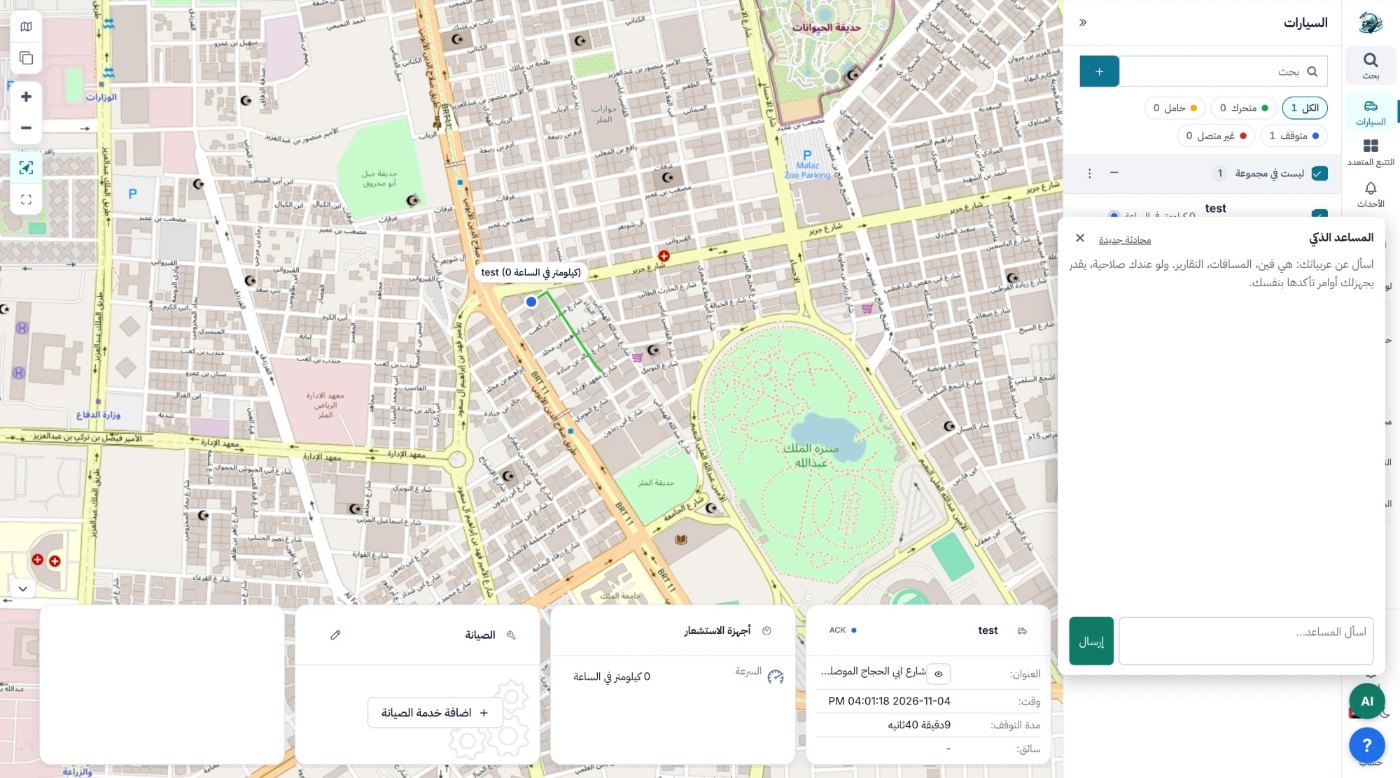
The assistant sits beside the live map

No extra app or separate screen.

Beside the map

AI assistant open beside the live map in Rasd

Watch vehicles on the map and ask on the same screen.
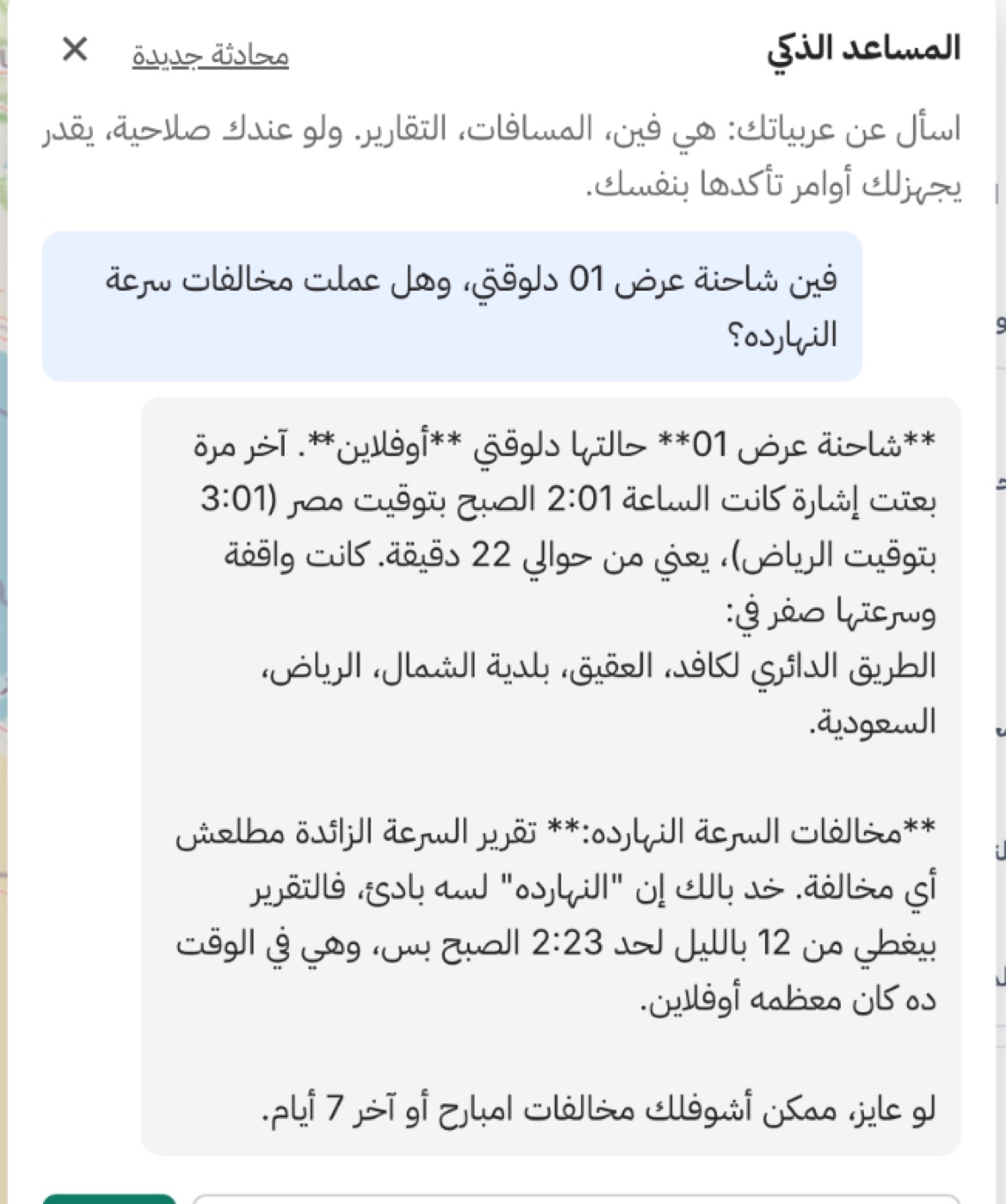
Where is the vehicle now?

AI assistant answering where the truck is

The answer includes status, last location and time of the last signal.
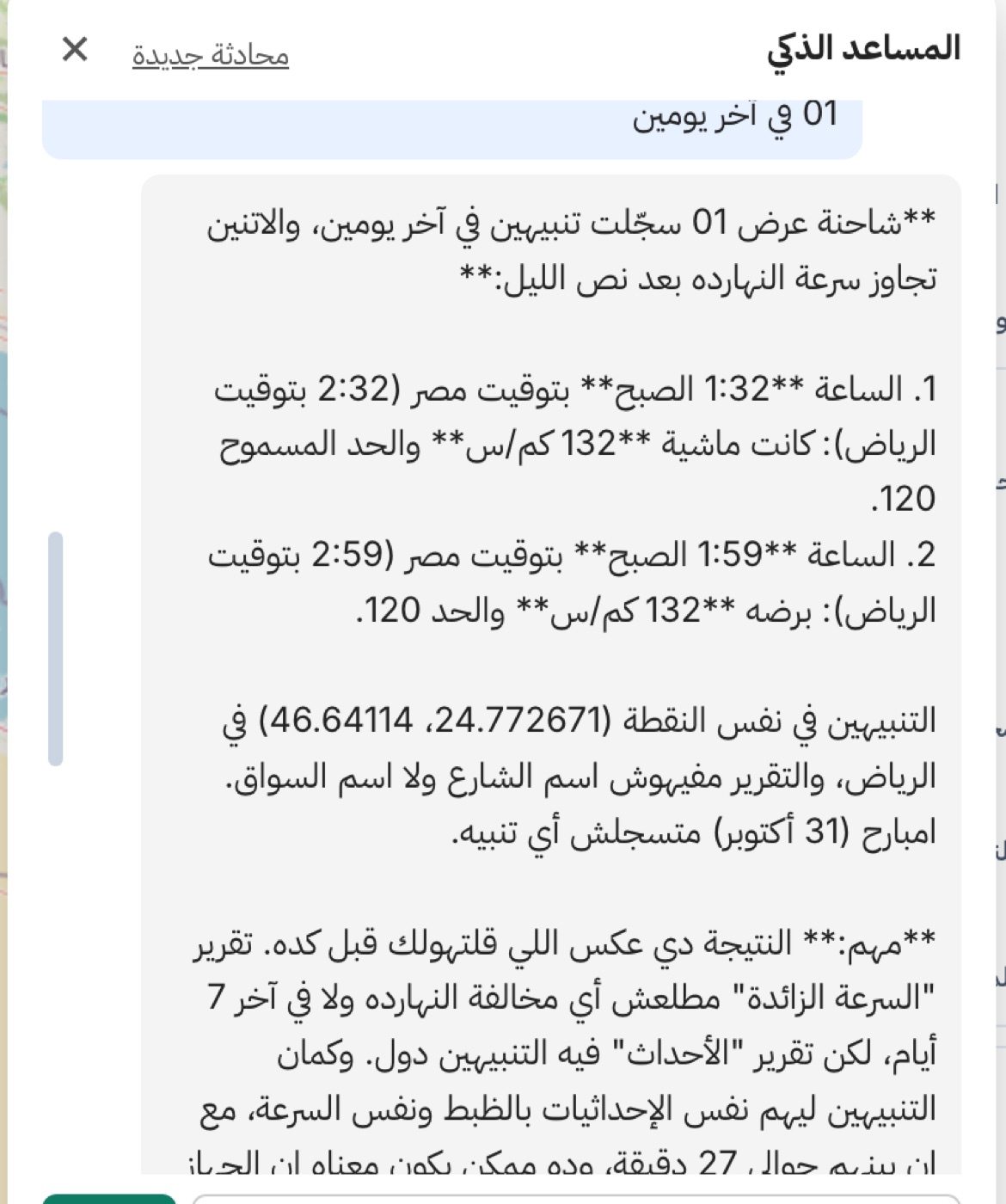
Which alerts fired?

AI assistant listing overspeed events

Overspeed alerts with time, speed, limit and location.
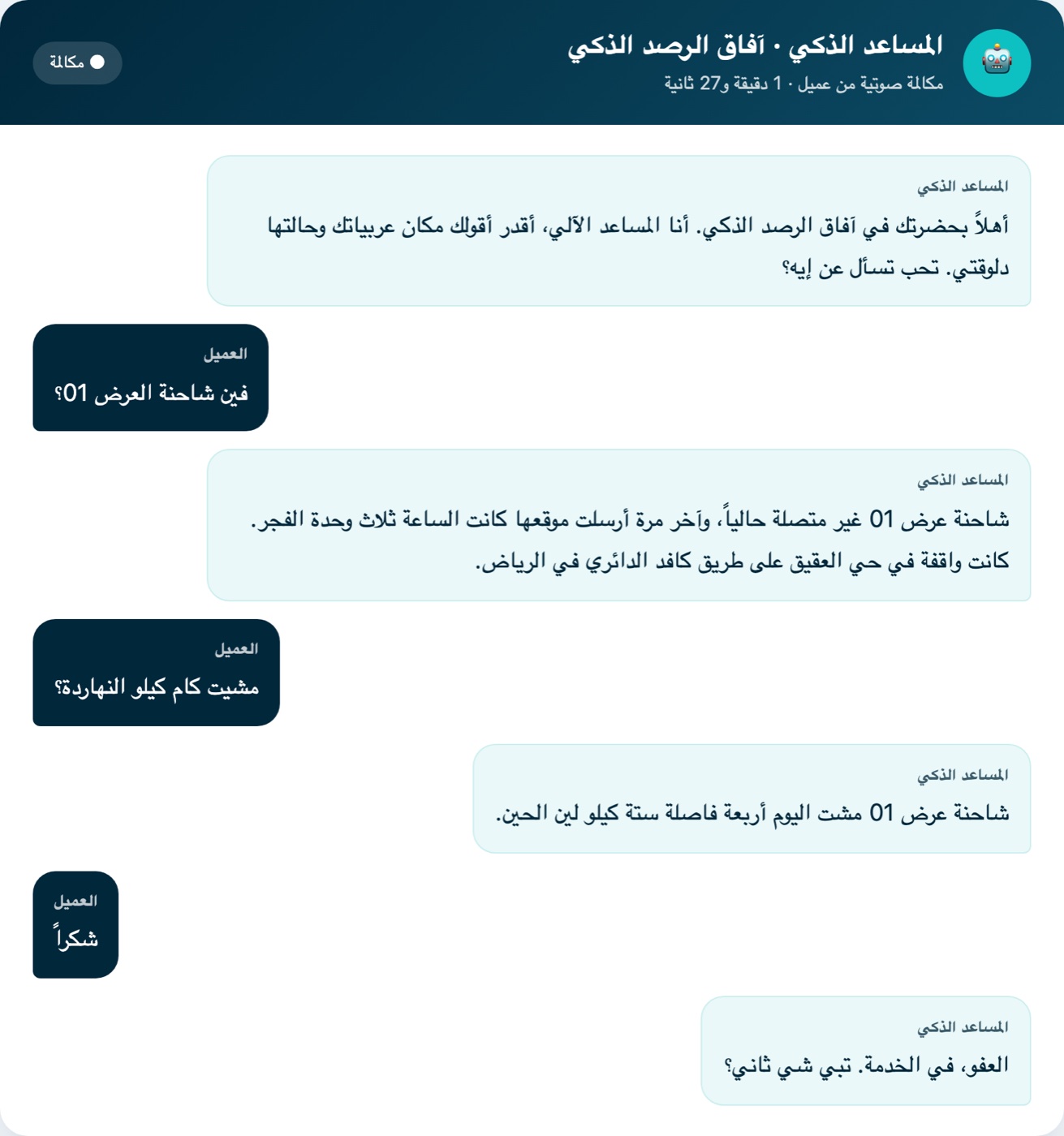
Or by phone

Transcript of a voice call with the AI assistant

Call the support line and ask by voice where a vehicle is or how far it drove today.
Examples

Questions the assistant answers

Ask the way you would ask a colleague in operations.

Location

“Where is truck 12 now?”

Distance

“How far did this vehicle drive today?”

Alerts

“Who went over the speed limit today, and where?”

Reports

A quick summary of speed, trip and stop reports.

Driving behaviour

Vehicles with the most violations.

Commands

For authorised users the assistant prepares a command; it runs only after you confirm it.

Alerts

Alerts reach you away from the screen

On overspeed: a platform alert, a WhatsApp message and a call where the assistant reads the alert to the supervisor.

Alert in the platform

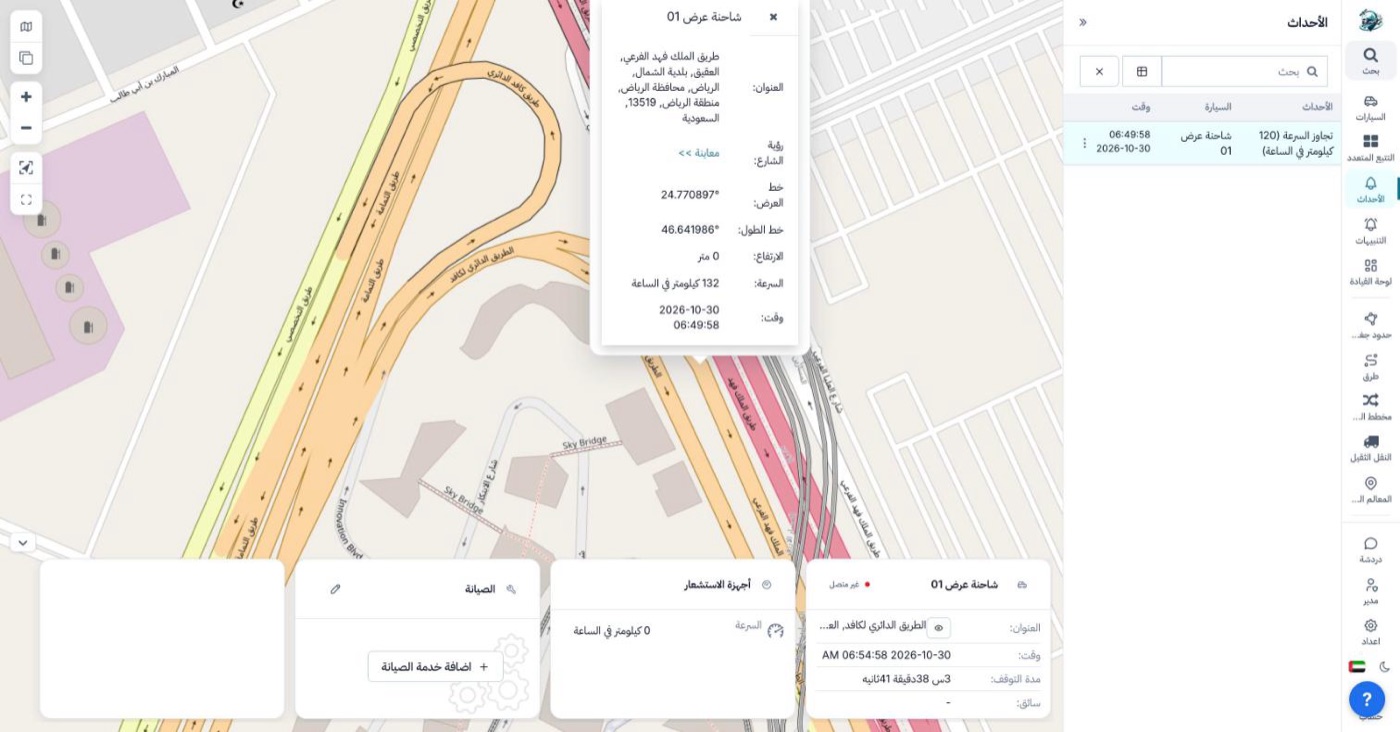
Overspeed alert in Rasd

Shown on the map with location, speed and time.
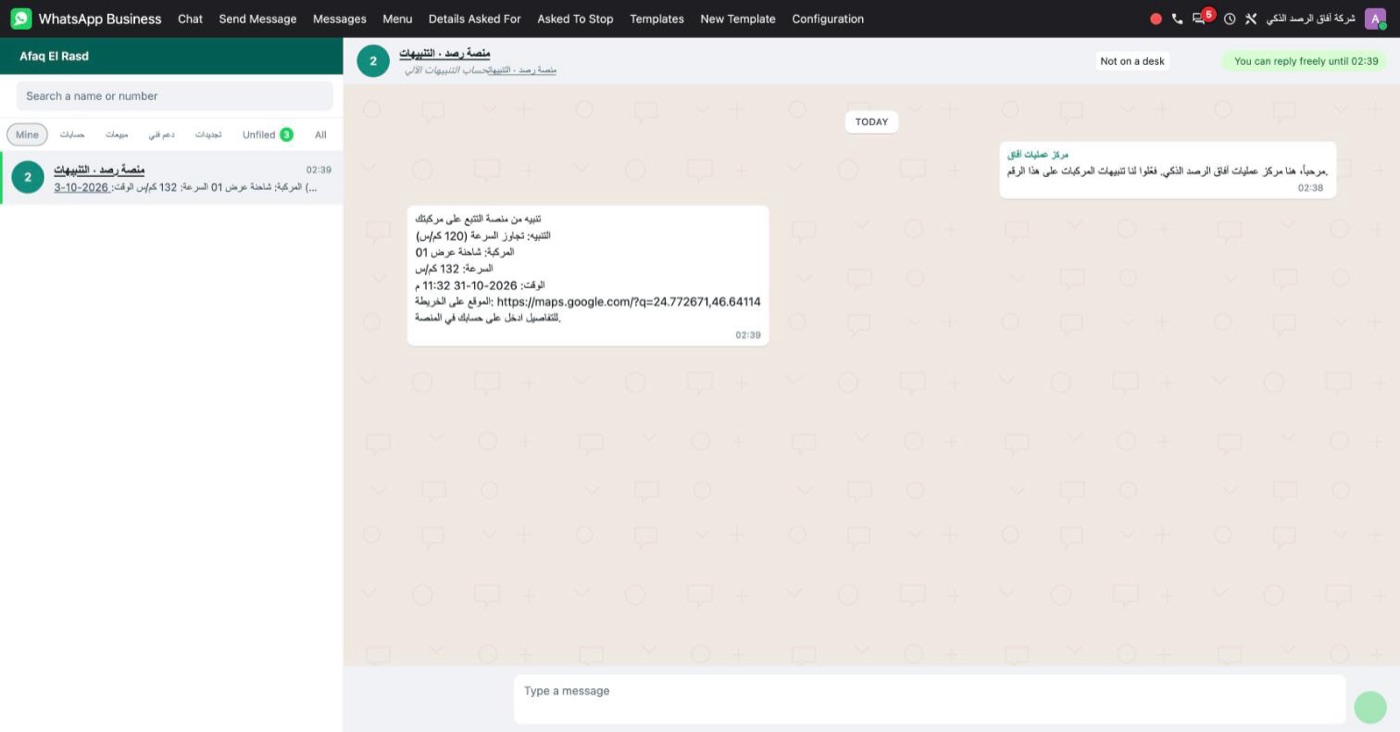
WhatsApp and voice call

Vehicle alert on WhatsApp

The assistant calls the supervisor; if there is no answer, the alert arrives on WhatsApp.

How to use it

Get started in 4 steps

The assistant is part of Rasd, so no extra hardware is needed.

01

Log in to Rasd

From a browser on desktop or mobile.
02

Open the assistant

It appears beside the live map.
03

Ask your question

Location, distance, alerts or a report.
04

Confirm before it runs

Any command waits for your review and confirmation.
Read more

Related pages

How the assistant fits the rest of the system.

Fleet management guide

What to measure and how to organise a fleet.

Fleet camera guide

From dash cams to DMS and ADAS.

API integration

Tracking, WhatsApp, call centre and AI in one ecosystem.

FAQ

AI assistant questions

Short answers.

An assistant inside the tracking platform that you ask about your fleet in plain words; it reads your vehicle data and answers about location, distance, alerts and reports.

No. For authorised users it prepares the command, and it runs only after the user reviews and confirms it.

Yes. Call the support line and ask by voice, for example where a vehicle is or how far it drove today.

In the platform, on WhatsApp, and by a voice call where the assistant reads the alert. If the supervisor does not answer, the alert arrives on WhatsApp.

No. The assistant works on the data your tracking device already sends to the platform.

See the assistant on your fleet

Request a demo and we will show the assistant answering real questions in the platform.