Did the rep really visit the customer? How long did they spend on the road? Why were today’s visits late? Every sales and distribution manager in Saudi Arabia asks these questions. Sales rep tracking answers them by bringing your field team’s locations, visits and reports into one screen. But the first decision is how you track: an app on the rep’s phone, or a GPS device in their vehicle?
This guide explains the difference between the two methods, when each one fits your team, the features to look for in any field sales tracking software, how to plan and follow up sales routes, and what you need to respect employee privacy.
Table of Contents
What Is Sales Rep Tracking?
Sales rep tracking software helps supervisors see where the field team is working and what it has done. Capabilities vary between products, but they usually cover:
- Location: the last known position of the rep or their vehicle, and the day’s movement history.
- Visits: the planned visit schedule, and check-in and check-out at the customer’s location.
- Planned versus actual: what was planned for the day compared with what was done.
- Alerts and reports: long stops, leaving the assigned territory, and daily and weekly team summaries.
The goal is not to watch every minute. It is to organize field work: more visits in less time, better customer coverage, and reports based on data instead of estimates.
Two Ways to Track Field Sales Reps
A Sales Rep Tracking App on the Phone
A compatible app on the rep’s phone sends their location during working hours and logs visits. Depending on the app, reps can also add notes or photos at the customer’s site. Accuracy depends on the phone’s GPS signal, the data connection, location permissions and battery-saving settings.
- Strengths: it tracks the rep, even on foot inside malls or when using different means of transport. It needs no hardware installation, and it is well suited to logging and proving visits.
- Weaknesses: it can be closed or location can be switched off, it depends on battery and coverage, and it needs a clear policy if the phone is personal rather than a work phone.
A GPS Device in the Rep’s Vehicle
A tracking device installed in the vehicle reports its location, route and stops continuously once the engine is running. It tracks the vehicle, not the person, so on its own it cannot prove who was driving or whether the rep went into the customer’s premises.
- Strengths: it works without any action from the rep, is hard to disable, gives accurate trip and mileage records, and also supports fuel monitoring, driving behavior and vehicle security.
- Weaknesses: every vehicle needs a device and installation, it stops following the rep once they leave the vehicle, and it does not suit teams that use their own cars.
Quick Comparison: App or GPS Device?
| Criteria | Phone app | Vehicle GPS device |
|---|---|---|
| What it tracks | The rep (the phone) | The vehicle |
| Movement inside sites | Yes | No |
| Can it be switched off? | Easier (close the app or location) | Harder, with a disconnection alert on supported devices |
| Visit logs and notes | Very well suited | Limited (vehicle stops) |
| Installation | None | Needed in every vehicle |
| Battery and coverage | Depends on the rep’s phone | Powered by the vehicle |
| Extra data | Depends on the app | Fuel, driving behavior and vehicle status, depending on the device |
When to Choose Each Method
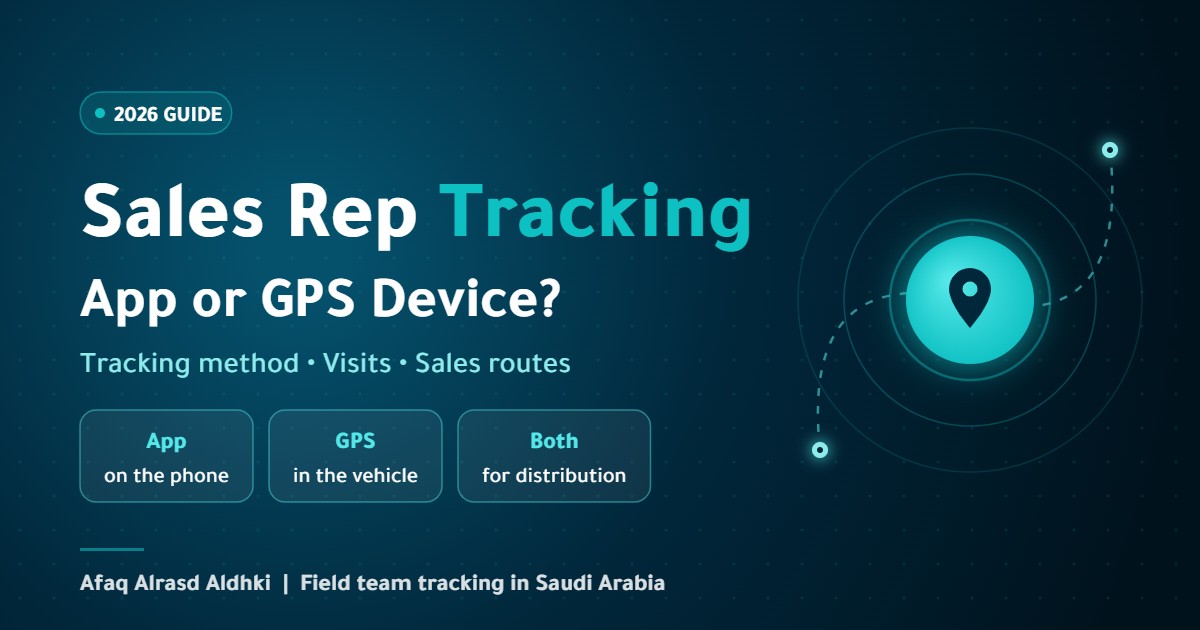
- App: sales and merchandising reps who visit shops and malls on foot or use their own cars, where you need proof of visit.
- GPS device: delivery and distribution reps driving company vehicles, where mileage, routes and fuel matter.
- Both: distribution teams that need the vehicle tracked all day, plus an app that records what happened at each customer.
Before you rely on either method, confirm with your provider that it is actually supported on their platform, especially phone tracking. Fleet tracking platforms do not track a rep’s phone automatically without a compatible app or an approved integration.
Features to Look for in Field Sales Tracking Software
- Clear route history: reviewable for any day, not only the live position.
- Visit scheduling and sales routes: customers assigned to reps and days.
- Location-based visit check-in: a geofence around each customer that records arrival, departure and visit duration.
- Planned versus actual: a daily report of completed and missed visits.
- Useful alerts: long stops, leaving the territory and activity outside working hours.
- Reports for large teams: compare reps and territories.
- Integration: links to your sales system, CRM or an ERP such as Odoo, so each visit connects to the order or invoice.
- Arabic interface and local support: supervisor training and follow-up after go-live.
How to Plan and Follow Up Sales Routes
Software alone is not enough. Good sales route planning gives the software a plan to measure against:
- Divide the city into territories: each rep gets a clear area, which reduces overlap and long drives.
- Rank your customers: key accounts are visited more often, smaller ones less often.
- Build a weekly plan: a route for each day that groups customers who are close to each other.
- Compare planned and actual every day: completed, late and unplanned visits.
- Review and adjust weekly: rebalance customers if one territory keeps falling behind.
Metrics to follow: the share of planned visits completed, average visit duration, travel time between customers, daily distance and unplanned visits. To improve the routes themselves, see route optimization.
Privacy and Team Buy-In
An employee’s location is personal data, and Saudi Arabia’s Personal Data Protection Law applies to any processing of it in the Kingdom. The law requires the party collecting the data to inform the person of the purpose and legal basis when collection starts. So:
- Tell reps in writing what is collected, why and who can see it.
- Limit tracking to working hours, especially with phone apps.
- Use the data for planning, safety and proof of visits, not only for discipline.
- Set access rights and retention periods, and review the details with your legal adviser.
A team that sees tracking as protection against inaccurate complaints and as proof of their work accepts it much faster than one that sees it only as surveillance.
Common Mistakes When Rolling Out Rep Tracking
- Buying software before deciding what you want to measure.
- Choosing a phone app for a delivery team in company vehicles, or the other way round.
- Switching tracking on without telling the team, and losing their trust on day one.
- Collecting data without reviewing it, so nothing changes in performance.
- Skipping the link to your sales system, so visits stay disconnected from orders.
Frequently Asked Questions
What is the best sales rep tracking app?
There is no single best option for everyone. The right one tracks in the way that suits your team (phone or vehicle), logs visits, gives you planned-versus-actual reports and connects to your sales system.
Can I track a rep through their personal phone?
Yes, through a compatible app with the necessary location permissions, provided the rep is informed and tracking is limited to working hours. Many companies prefer to provide a work phone to keep personal and work use separate.
Can a rep switch tracking off?
With an app, they can close it or turn off location, so it helps if the app alerts you when data stops. A GPS device in the vehicle is harder to disable, and some devices send an alert when they are disconnected.
Does a sales rep tracking app need internet?
It usually needs a data connection to send live location. Some apps store data and send it when the connection returns, so ask your provider if your team works in areas with weak coverage.
Is tracking sales reps allowed in Saudi Arabia?
Tracking employees for work purposes is common practice, but an employee’s location is personal data protected by the Personal Data Protection Law. Inform your team of the purpose and limits of tracking, and review your policy with a legal adviser.
Can sales rep tracking connect to Odoo?
Yes, through an integration that depends on the software you use, so visits link to customers and orders in Odoo. Learn more about our Odoo ERP solutions.
How Afaq Can Help
Afaq Alrasd Aldhki helps you choose the right tracking method for your team, installs GPS devices in your reps’ vehicles, assesses phone-based tracking where a compatible app is available, and sets up territories, visits, alerts and reports on the platform, with optional integration with your business systems. Explore our field team tracking solutions or request a quote for your team.